# Quick Start

## Usage flow

<img src="https://968300666-files.gitbook.io/~/files/v0/b/gitbook-x-prod.appspot.com/o/spaces%2FP2rTAxVwynleD83BBDV3%2Fuploads%2FtQhfJMT6UdlTLnCjX1TQ%2Ffile.excalidraw.svg?alt=media&#x26;token=fe26165b-3b72-407f-8104-de6bcddfd3e0" alt="" class="gitbook-drawing">

## Step1: Sign up

Open the browser and enter the URL to sign up (<https://app.toboto.com>) .

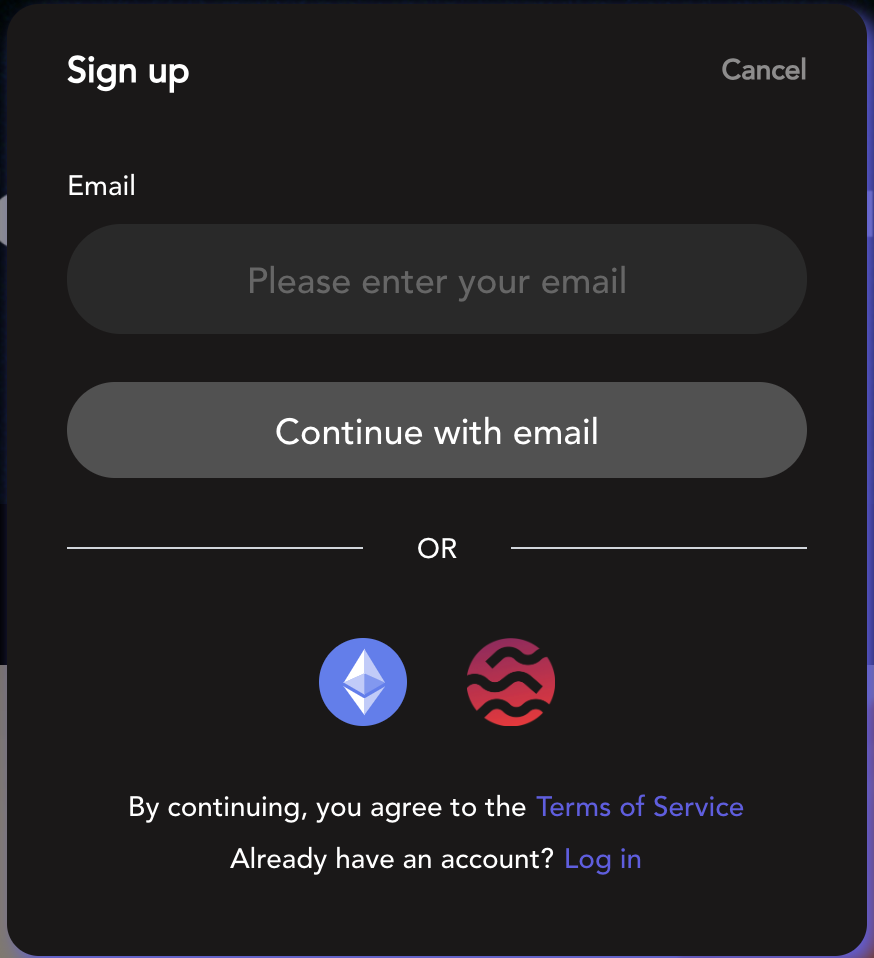
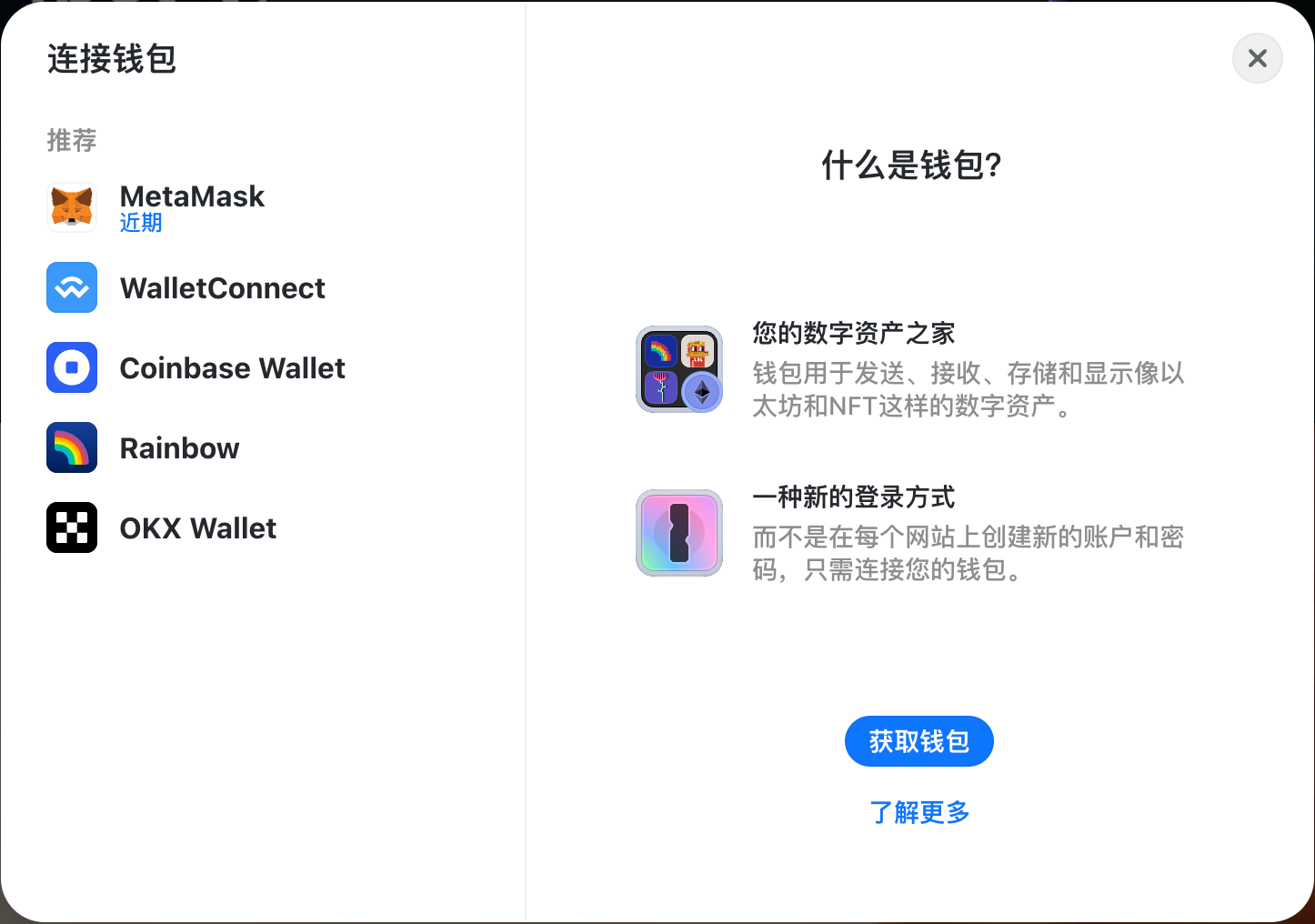
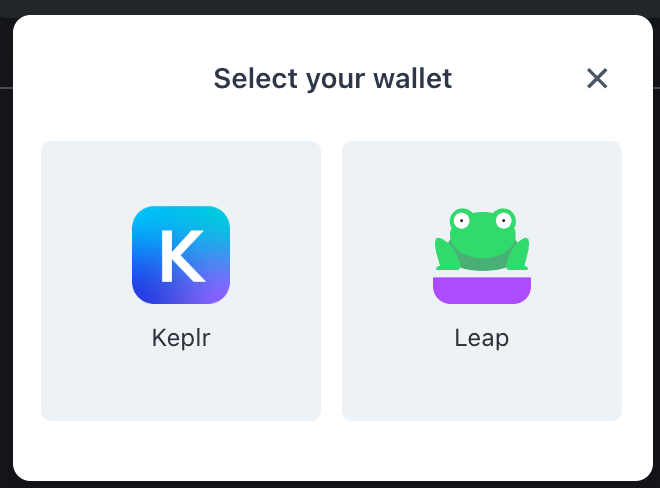
Click \[ Sign up] in the upper right corner and sign up with Email, EVM wallet and Sei wallet in the pop-up window.

<figure><img src="https://968300666-files.gitbook.io/~/files/v0/b/gitbook-x-prod.appspot.com/o/spaces%2FP2rTAxVwynleD83BBDV3%2Fuploads%2FbIv0Gfu5h5dAVas8VHwz%2Fimage.png?alt=media&#x26;token=0e8f6ecd-730b-4a5d-a48d-cf79f163ada6" alt="" width="375"><figcaption><p>Sign up</p></figcaption></figure>

<figure><img src="https://968300666-files.gitbook.io/~/files/v0/b/gitbook-x-prod.appspot.com/o/spaces%2FP2rTAxVwynleD83BBDV3%2Fuploads%2F0QHTw9b03TTGk3OkZZJw%2Fimage.png?alt=media&#x26;token=da9d623c-ca78-4f86-80f3-64b9b9ed2216" alt="" width="375"><figcaption><p>EVM Wallet</p></figcaption></figure>

<figure><img src="https://968300666-files.gitbook.io/~/files/v0/b/gitbook-x-prod.appspot.com/o/spaces%2FP2rTAxVwynleD83BBDV3%2Fuploads%2Ft7Gcg3IkOLrMfq9gK4Tt%2Fimage.png?alt=media&#x26;token=15711385-7458-41aa-bc5b-0f47d8807786" alt="" width="330"><figcaption><p>Sei Wallet</p></figcaption></figure>

***

## Step2: Log in

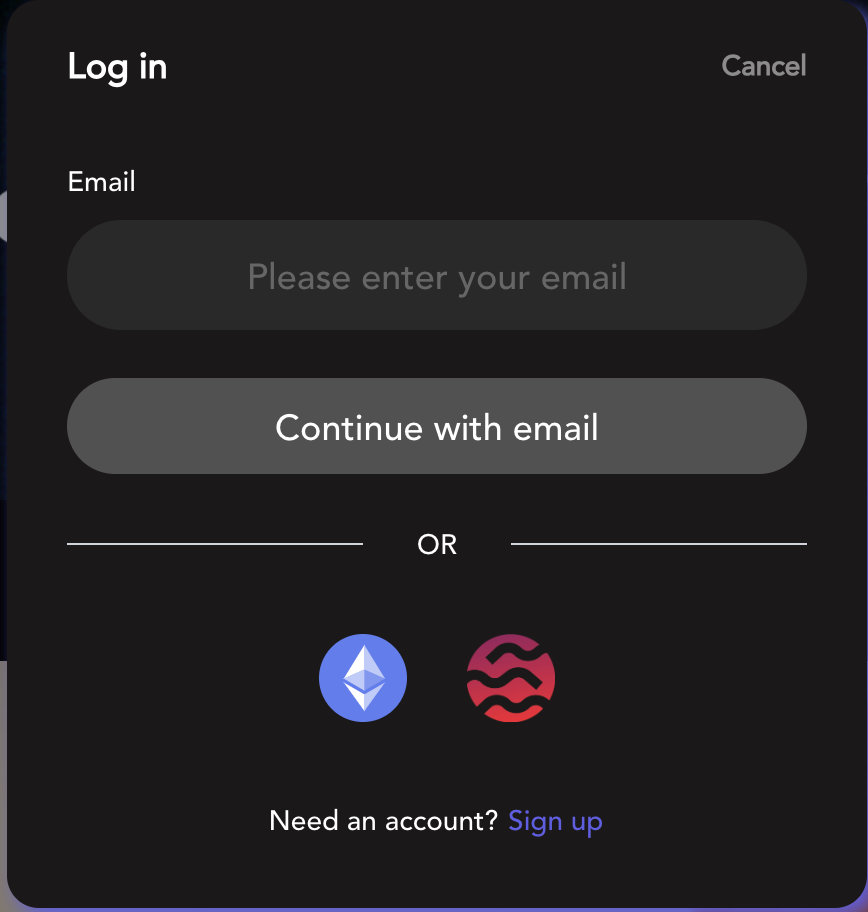
After completing the registration, you can log in with the Email or EVM wallet or Sei wallet that you just used to register.

<figure><img src="https://968300666-files.gitbook.io/~/files/v0/b/gitbook-x-prod.appspot.com/o/spaces%2FP2rTAxVwynleD83BBDV3%2Fuploads%2FDa2N2NjOw9xGocAM0IXA%2Fimage.png?alt=media&#x26;token=8b54b1f7-cc42-4f25-a73c-2a4fb3aa7483" alt="" width="375"><figcaption></figcaption></figure>

***

## Step3: Bind Account

After successfully logging in, click "profile" in the upper right corner to enter the profile page. You can bind other accounts.&#x20;

<figure><img src="https://968300666-files.gitbook.io/~/files/v0/b/gitbook-x-prod.appspot.com/o/spaces%2FP2rTAxVwynleD83BBDV3%2Fuploads%2FnZxypBcXHBXTTf96RPTb%2Fimage.png?alt=media&#x26;token=e4f5168a-bf67-4b89-9222-9926cc3eab23" alt=""><figcaption></figcaption></figure>

<figure><img src="https://968300666-files.gitbook.io/~/files/v0/b/gitbook-x-prod.appspot.com/o/spaces%2FP2rTAxVwynleD83BBDV3%2Fuploads%2F6bPQyNFOWG93L5kglH2i%2Fimage.png?alt=media&#x26;token=da4a1d54-5002-47af-9970-bd0936e8758d" alt=""><figcaption></figcaption></figure>

{% hint style="info" %}
If you bind twitter, EVM address, and Sei address at the same time, you can log in Toboto with any one of them.
{% endhint %}

## Step4: Earn more Points

You can earn Toboto points in the following ways:

* Bind account include EVM address, Sei address, Email, Twitter, Telegram;
* Follow Toboto X;
* Join Toboto Telegram Group;
* Experience  ChatAI;
* Participate in Campaigns;
* Daily check in.

<figure><img src="https://968300666-files.gitbook.io/~/files/v0/b/gitbook-x-prod.appspot.com/o/spaces%2FP2rTAxVwynleD83BBDV3%2Fuploads%2FlCC8YDFOB7uN5ZozmBcA%2Fimage.png?alt=media&#x26;token=d0072dab-e862-4260-b675-ad772fede8ea" alt=""><figcaption></figcaption></figure>

***

## Step5: Participate in Campaign

{% hint style="info" %}
Toboto cooperates with many excellent projects. You can participate in these Campaigns to achieve Toboto points, whitelists, USDT and other rewards.
{% endhint %}

Click \[Campaign] to enter the Campaign page. Participate in Active Campaigns.

<figure><img src="https://968300666-files.gitbook.io/~/files/v0/b/gitbook-x-prod.appspot.com/o/spaces%2FP2rTAxVwynleD83BBDV3%2Fuploads%2FFgSqd7gYmsJ8p8O6MOwz%2Fimage.png?alt=media&#x26;token=c8724fbd-9cc6-4bc7-bc64-7d9aa0e351f5" alt=""><figcaption></figcaption></figure>

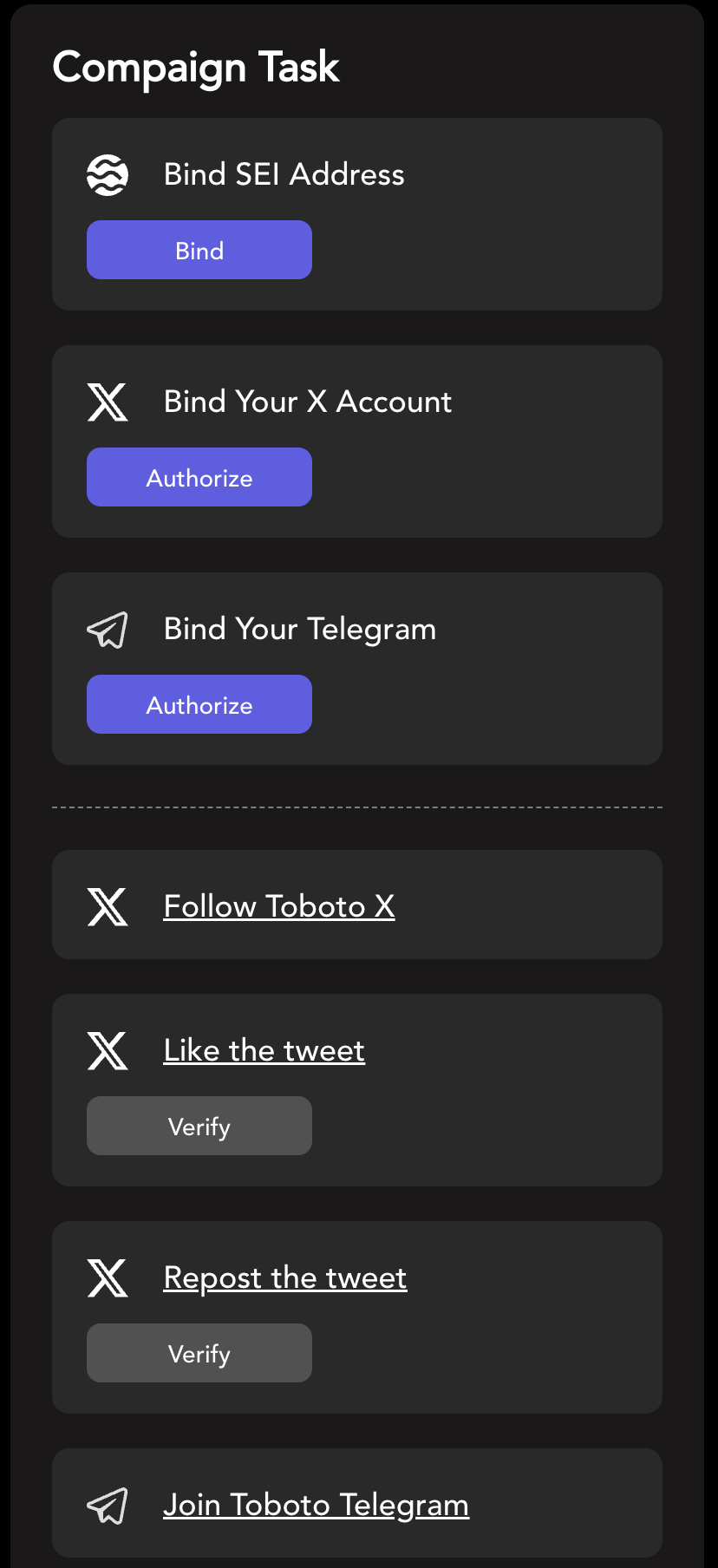
In the campaign detail page, complete tasks to win rewards.

<figure><img src="https://968300666-files.gitbook.io/~/files/v0/b/gitbook-x-prod.appspot.com/o/spaces%2FP2rTAxVwynleD83BBDV3%2Fuploads%2FS9JkxyLO2GmRpHGuuXxr%2Fimage.png?alt=media&#x26;token=dc1fa5bc-5c66-4942-90cd-f5115941ec6e" alt="" width="188"><figcaption></figcaption></figure>

## Step6: Experience ChatAI

{% hint style="info" %}
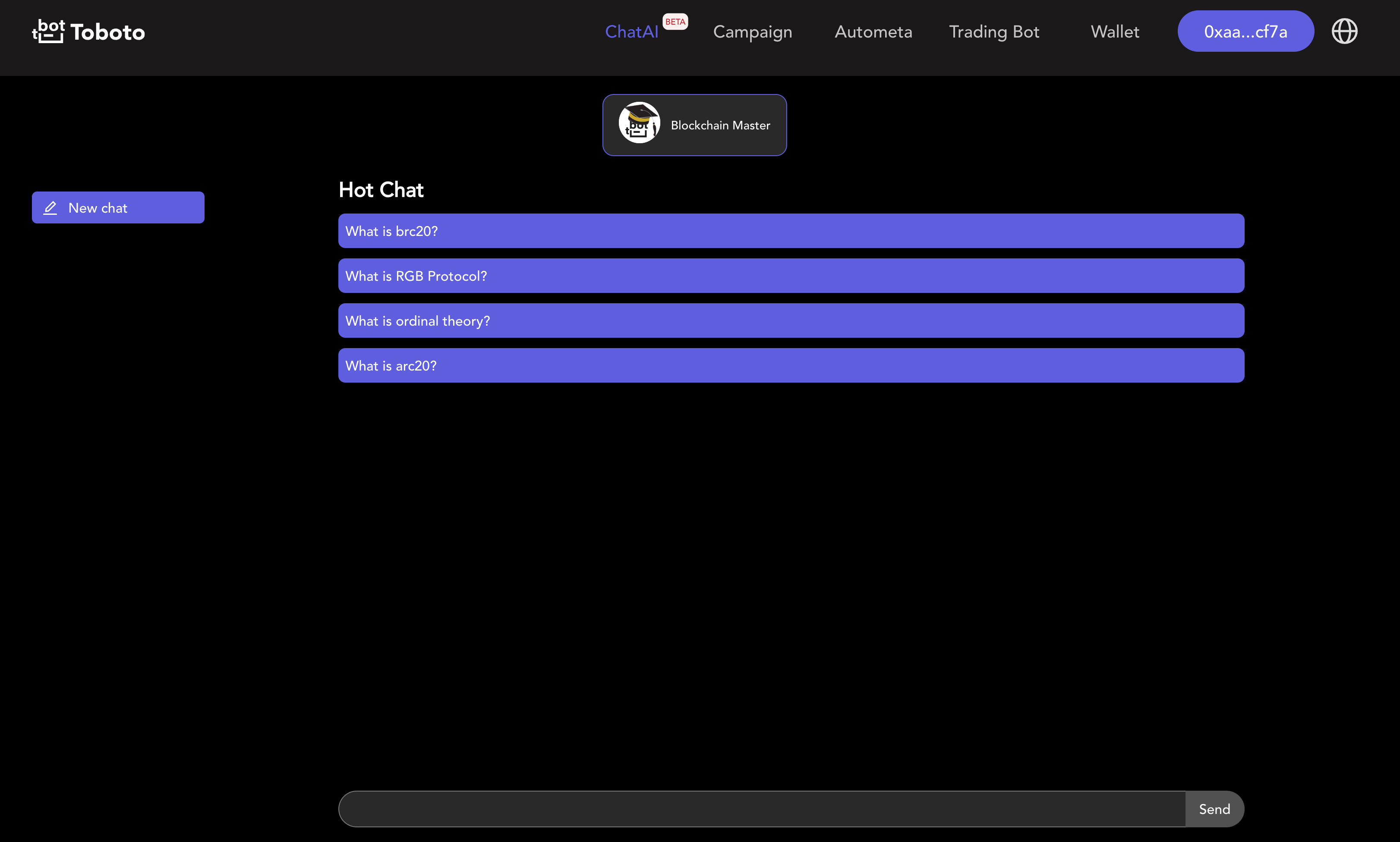
ChatAI integrates the LLM ( large language model) and feeds a large amount of encrypted industry data. ChatAI can serve as your crypto partner expert.&#x20;
{% endhint %}

<figure><img src="https://968300666-files.gitbook.io/~/files/v0/b/gitbook-x-prod.appspot.com/o/spaces%2FP2rTAxVwynleD83BBDV3%2Fuploads%2FyUuLTMJIVvsbN9MDA0BS%2Fimage.png?alt=media&#x26;token=e6f68351-169f-4b82-b016-08d6f957b149" alt=""><figcaption></figcaption></figure>